Same Day Business Card Printing London 400gsm Mayfair Ivory
Premium uncoated board with a natural texture and timeless feel. Ideal for creatives, agencies and businesses who need cards fast without compromising on quality. Order by 2pm, Monday to Friday, and collect the same day.
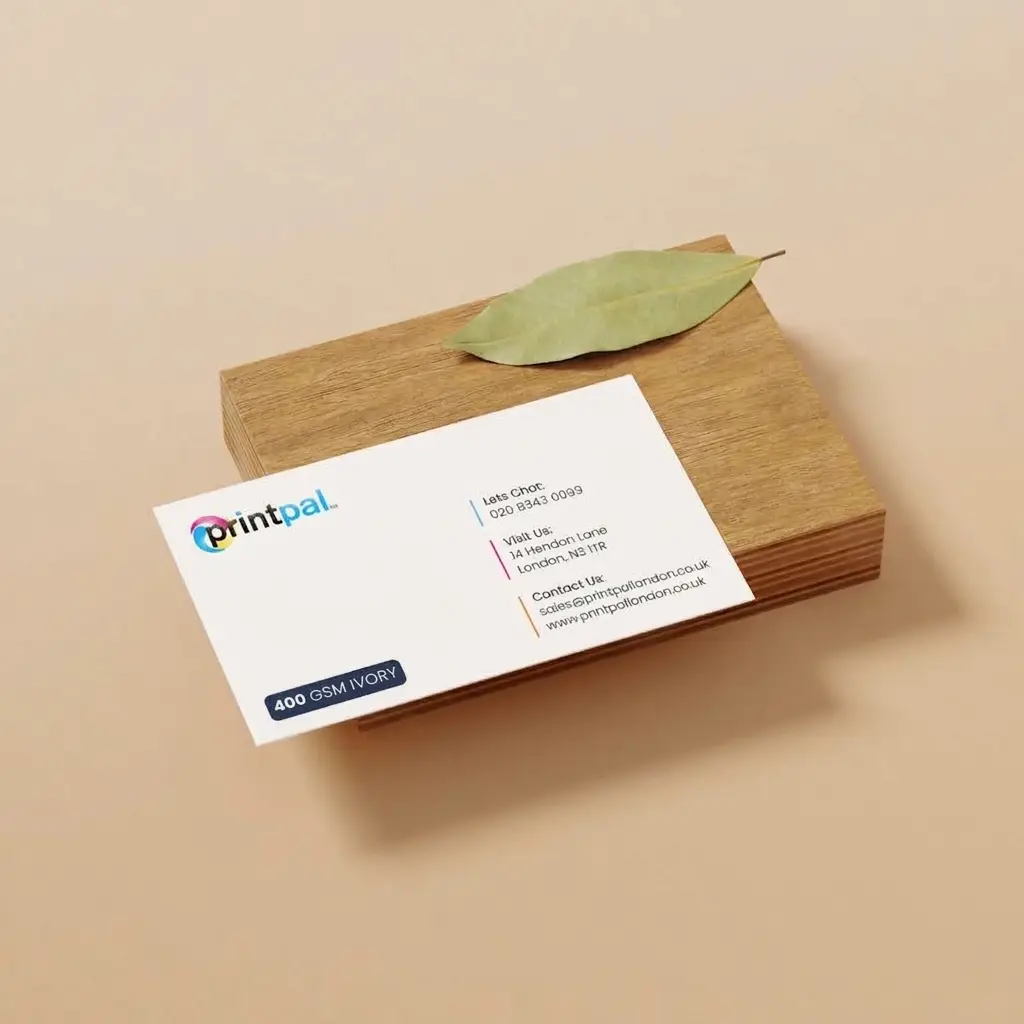
Business cards on 400gsm Mayfair Ivory
Elegant, express and uncoated with understated charm.
Need business cards today but still want something that feels considered? Our same day cards on Mayfair Ivory are ideal when time is tight but you don’t want to compromise on tone or texture.
Printed in digital full colour on premium 400gsm ivory uncoated board, a refined stock with a natural, lightly textured surface and timeless appeal.
- Digital full colour printingClean, accurate colour on uncoated stock, perfect for text led designs and understated branding.
- 400gsm Mayfair Ivory boardUncoated and soft to the touch, with a warm off white tone.
- Made for quiet impactIdeal for consultants, creatives and professionals who value classic style and clarity.
Send it after checkout
- Place your order by 2pm
- Reply to your order email with your PDF, or use WeTransfer for files over 7MB
- We check it by hand and print it the same day
PDFBusiness card template85 × 55mm with 3mm bleed
Need a custom size? Call us before you order, we’re here 9:30am to 6pm.
Good to know
Can I get business cards printed the same day in London?
Yes. Order by 2pm, Monday to Friday, and collect your cards the same day from our shop at 14 Hendon Lane, Finchley, or choose London van delivery between 6pm and 10pm.
What is Mayfair Ivory board?
Mayfair Ivory is a premium 400gsm uncoated board with a warm off white tone and a soft, lightly textured surface. It has a timeless, tactile quality that suits professionals, consultants and creatives who want their cards to feel as considered as they look.
What file should I send?
A print ready PDF with 3mm bleed on all sides, ideally in CMYK with images at 300dpi. Download the template above, or follow the Canva, Illustrator or AI guides below.
Can I print double sided business cards?
Yes, we print single and double sided. Just choose your option above before adding to basket.
Can I order a custom size?
Our standard size is 85 × 55mm. If you need a custom size, call us before you order and we’ll confirm whether we can do it the same day.
How do I collect?
We’re at 14 Hendon Lane, Finchley, London N3 1TR. Once your order is ready we’ll let you know and you can collect in person, Monday to Friday, 9:30am to 6pm.
Make your file in Canva, Illustrator or with AI
Follow these steps and your file will be print ready first time. Your size for this product is 85 × 55mm.
- Create a custom size
Click
Create a design, thenCustom size. Change the units tommand enter85by55. - Turn on bleed and margins
Go to
File, thenView settings, and tickShow print bleedandShow margins. - Design to the lines
Stretch backgrounds and images right out to the outer edge. Keep text and logos inside the margin line so nothing gets trimmed.
- Download as PDF Print
Click
Share, thenDownload. ChoosePDF Printand tickCrop marks and bleed. On Canva Pro, set the colour profile toCMYK. - Send it to us
Reply to your order email with the PDF attached, or use WeTransfer for files over 7MB.
Before you download
- Background reaches the outer bleed edge
- Text sits inside the margin line
- Photos look sharp at full size
- Both sides in one file for double sided
On a free Canva account the PDF downloads in RGB. That is fine, we check every file and convert it for print.
- Set up a new document
Go to
File, thenNew. Set width85 mm, height55 mm, bleed3 mmon all sides, colour modeCMYKand raster effects300 ppi. - Add a second artboard for double sided
Set artboards to
2when you create the document, one for the front and one for the back. - Design to the lines
Run backgrounds to the red bleed line. Keep text and logos at least 3mm inside the trim edge.
- Outline fonts and embed images
Select your text and choose
Type, thenCreate Outlines. Embed any placed images and check they are 300 ppi. - Save as a print PDF
Go to
File, thenSave As, and chooseAdobe PDF. Pick theHigh Quality Printpreset, then underMarks and BleedstickUse Document Bleed Settings.
Before you save
- Document is in CMYK
- Bleed is 3mm on every side
- All text is outlined
- Images are embedded at 300 ppi
Not sure about your file? Send it anyway. We check every file by hand before it prints.
- Ask for the right shape
Tell the tool the image is for a
landscape business cardand ask for a3:2ratio. A square image will be cropped to fit. - Leave the words out
AI tools often misspell text. Ask for
no text or letteringand add your words and logo afterwards in Canva, where text prints crisp. - Keep the edges clear
Ask for the main subject in the centre with plain background around it, so nothing important is lost when the print is trimmed.
- Download the full size file
Save the original PNG from the tool, not a screenshot. For this product the image needs to be at least
1075 × 720 pixels. - Finish it in Canva
Upload the image to a Canva design at
85 × 55mm, stretch it to the bleed edge, add your text, then follow the Canva steps to download a PDF Print.
Before you send
- Image fills the shape, not square
- Text added in Canva, spelt correctly
- Nothing important near the edges
- Full size PNG, not a screenshot
Works with ChatGPT, Gemini, Canva Magic Media and similar tools. Only use images you have the right to print.